
Introduction: Choosing the Right Web Hosting Matters

Your website lives or dies by its hosting. It is the engine under the hood, the silent stage crew that decides whether pages glide onto the screen or stumble in late. For bloggers, developers, and online entrepreneurs, the right web hosting is not just a technical choice. It shapes site speed, search engine rankings, security, and even how trustworthy your brand feels to visitors.
With dozens of hosting providers promising lightning-fast speeds and unbeatable prices, choosing one can feel like standing in front of an overflowing menu. That is why comparisons matter. In this guide, we take a clear, practical look at Hostinger vs Namecheap vs Bluehost to answer one simple question: which gets you more value for your money?
Whether you are launching your first website, scaling an online business, or migrating from an underperforming host, this comparison breaks down pricing, performance, features, and support so you can make a confident, value-driven decision.
Hostinger vs Namecheap vs Bluehost – Quick Overview
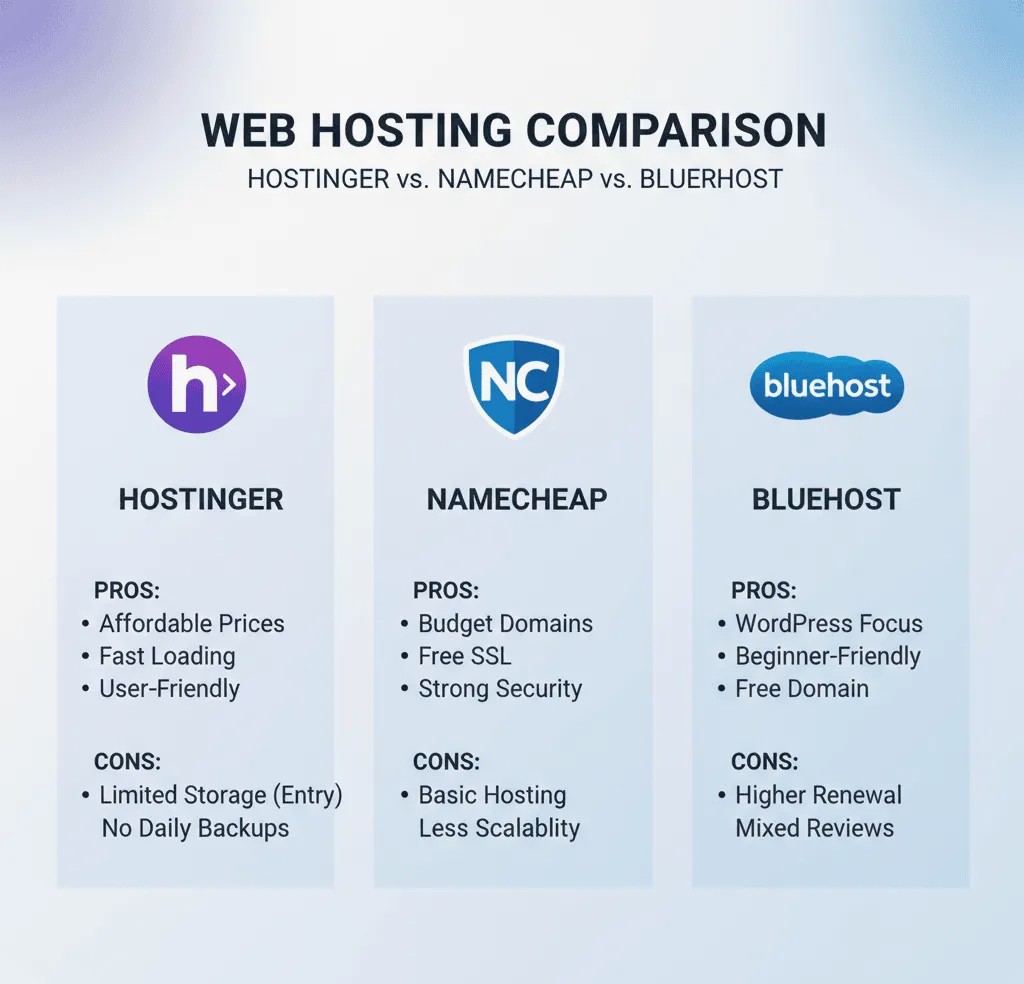
Before we dive into the details, here’s a snapshot of how these three popular hosting providers stack up when it comes to value, performance, and ease of use. Think of this as your “at-a-glance” cheat sheet before exploring deeper.
Hostinger 🌐
Known for aggressive pricing and surprisingly solid performance, Hostinger often appeals to budget-conscious users who still want decent speed and features. It’s popular with small business owners, bloggers, and first-time site builders.
Namecheap 💡
Originally famous for affordable domain names, Namecheap also offers low-cost hosting that’s friendly for beginners and hobby sites. The focus here is straightforward pricing and simplicity, making it a good pick if you want a basic hosting plan without upsells.
Bluehost 🧠
Endorsed by WordPress.org and widely recommended for WordPress bloggers, Bluehost shines in onboarding and support. It’s slightly pricier than the others but offers robust integration with WordPress and beginner-friendly tools, which can be worth it for many users.
| Feature | Hostinger | Namecheap | Bluehost |
|---|---|---|---|
| Affordability | ⭐⭐⭐⭐ | ⭐⭐⭐⭐ | ⭐⭐ |
| Performance | ⭐⭐⭐ | ⭐⭐ | ⭐⭐⭐ |
| Beginner-Friendly | ⭐⭐⭐ | ⭐⭐⭐ | ⭐⭐⭐⭐ |
| WordPress Support | ⭐⭐⭐ | ⭐⭐ | ⭐⭐⭐⭐ |
| Customer Support | ⭐⭐⭐ | ⭐⭐ | ⭐⭐⭐⭐ |
This quick snapshot sets the stage for a deeper dive into Hostinger vs Namecheap vs Bluehost: Which Gets You More Value across pricing, features, speed, and support—so you can decide what truly fits your project
Pricing & Plans – Which Hosting Gives More Value for Money?
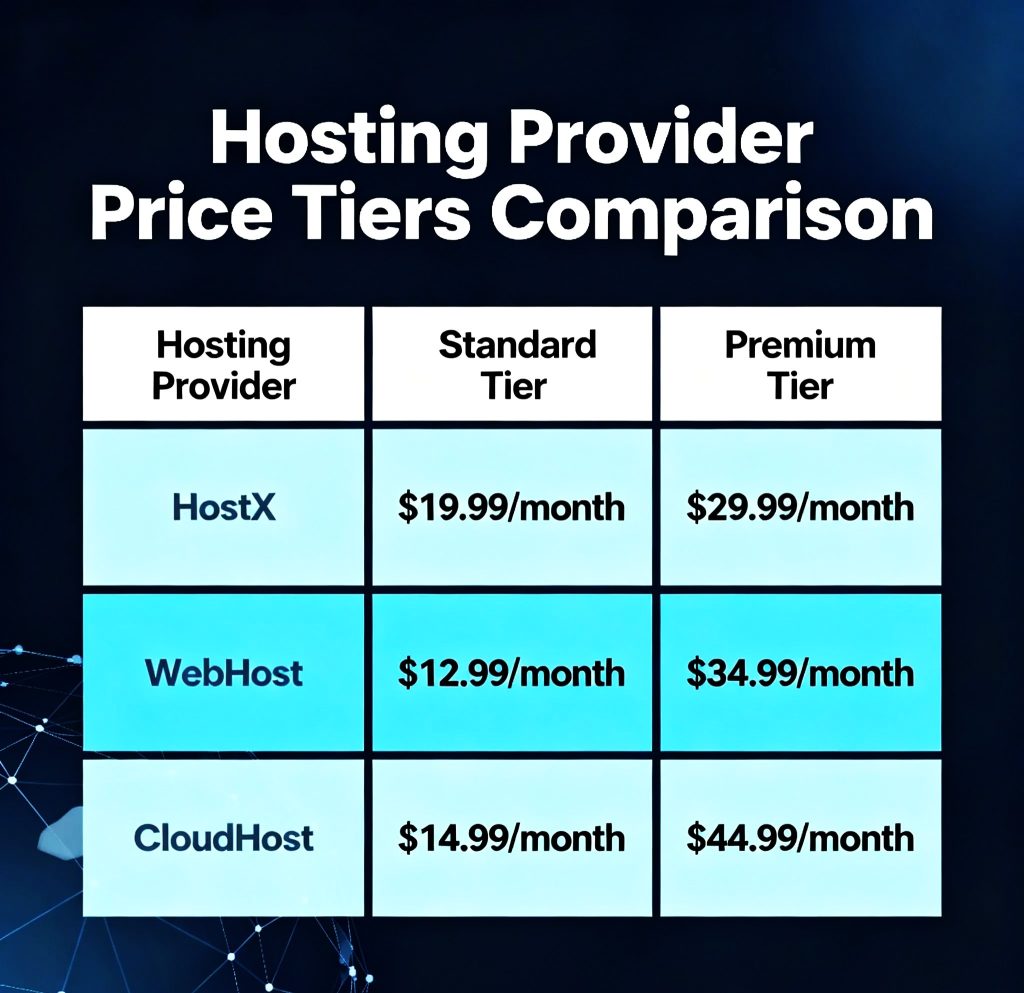
When choosing between host providers, cost isn’t just the number you pay today—it’s how much value you get for that price over time. Let’s break down how Hostinger, Namecheap, and Bluehost stack up in pricing, renewals, and what you actually get for your money.
Hostinger Pricing Breakdown
Hostinger shines when it comes to entry-level pricing. Its plans often come with aggressive discounts for first-time customers, making it one of the most budget-friendly hosts around. Monthly costs are low, especially if you commit to longer terms.
What you get at low price:
- Free SSL certificate
- Free website builder
- Decent storage and bandwidth
- Beginner-friendly control panel
👉 Great choice if you’re starting a blog, small business site, or portfolio on a tight budget.
Namecheap Pricing Breakdown
Namecheap started as a domain registrar, and its hosting plans reflect similar simplicity and affordability. While basic packages are inexpensive, the focus is on transparent pricing without too many aggressive upsells.
What you get:
- Free domain with some plans
- Free email accounts
- Easy-to-use dashboard
- Straightforward shared hosting
👉 Best for personal sites, hobby projects, or domain + host combos without confusing pricing tiers.
Bluehost Pricing Breakdown
Bluehost tends to be a bit pricier upfront compared to Hostinger and Namecheap—but this reflects its stronger emphasis on WordPress integration and support. The renewal rates can also be higher, so long-term planning matters.
What you get:
- WordPress-optimized plans
- Free domain for 1 year
- 1-click installs
- Marketing credits with some plans
👉 Ideal if you want a host that’s beginner-friendly and specially built for WordPress sites.
🧠 Price vs Value Summary
| Provider | Entry Cost | Renewal Cost | Best Value For |
|---|---|---|---|
| Hostinger | ⭐⭐⭐⭐ | ⭐⭐⭐ | Budget users & small sites |
| Namecheap | ⭐⭐⭐⭐ | ⭐⭐ | Simple sites & domains |
| Bluehost | ⭐⭐⭐ | ⭐⭐ | WordPress users & beginners |
💡 Final Thoughts on Pricing
- Hostinger often wins for lowest starting price and good overall features.
- Namecheap keeps things simple with reliable plans and transparent pricing.
- Bluehost charges a bit more, but offers comfort and WordPress-focused tools that many beginners appreciate.
Performance & Speed Comparison
Speed and uptime aren’t just geeky metrics—they directly affect user experience, search rankings, and conversions. When your site loads fast, visitors stay longer. When it doesn’t, they bounce. So let’s see how Hostinger, Namecheap, and Bluehost perform in real world hosting speed and reliability.
Server Speed & Uptime
Hostinger
Hostinger uses LiteSpeed servers in many of its plans, helping boost loading times compared to standard shared hosting. That means even low-cost plans can hold their own when it comes to delivering content quickly to visitors.
Namecheap
Namecheap gives you solid uptime for simple sites, but it doesn’t focus on speed enhancements the way some competitors do. For basic blogs and small business pages, this is fine—but high-traffic sites may feel the limits.
Bluehost
Bluehost performance is generally reliable, especially on WordPress plans. Servers are optimized for WordPress by default, which means good load times and stable uptime even under moderate traffic spikes.
📌 Quick takeaway:
- Hostinger: Strong contender with speed-focused infrastructure
- Namecheap: Reliable basic performance
- Bluehost: Good speed, especially for WordPress sites
EXTRA- YOU CAN READ MORE ABOUT Cloud Hosting vs Shared Hosting: What’s Best for Your First Website? VISIT THIS ARTICLE
Global Performance for Worldwide Users
Website speed isn’t just about the server in one location—it’s about how fast your site loads for users around the globe.
Hostinger:
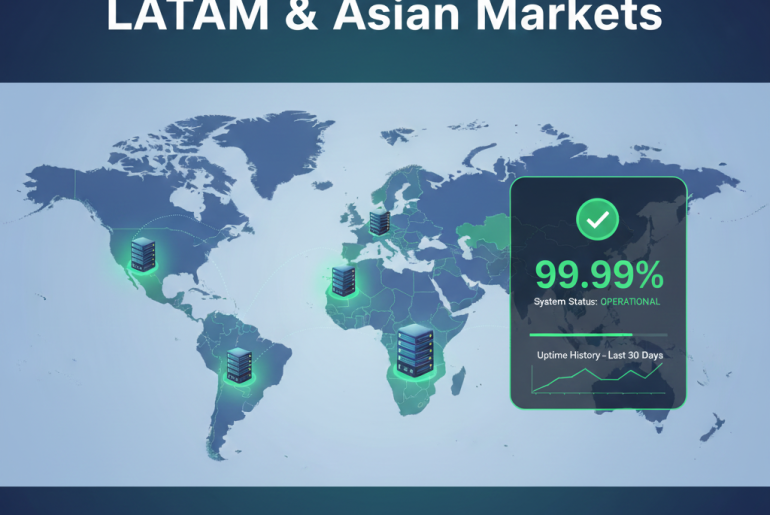
Has data centers in multiple regions, so you can choose a closer location to your audience. That helps reduce load times worldwide.
Namecheap:
Fewer global data center options, meaning some users may see slower speed depending on geography.
Bluehost:
Mostly US-based servers, but works well with a Content Delivery Network (CDN) like Cloudflare to serve global users faster.
🌍 Tip: Pair any host with a CDN to dramatically improve global load times.
Performance Summary Table
| Feature | Hostinger | Namecheap | Bluehost |
|---|---|---|---|
| Server Speed | ⭐⭐⭐⭐ | ⭐⭐⭐ | ⭐⭐⭐⭐ |
| Uptime Reliability | ⭐⭐⭐⭐ | ⭐⭐⭐ | ⭐⭐⭐⭐ |
| Global Data Center Options | ⭐⭐⭐ | ⭐⭐ | ⭐⭐ |
| WordPress Optimization | ⭐⭐⭐ | ⭐⭐ | ⭐⭐⭐⭐ |
What This Means For You
- Hostinger is excellent if speed and budget both matter.
- Namecheap works well for simple websites and low-traffic projects.
- Bluehost shines for WordPress users who want built-in performance tools.
Features & Tools – What Do You Actually Get?
When deciding between Hostinger, Namecheap, and Bluehost, price and speed are only part of the story. The real value comes from the tools and features you actually use to build, manage, and grow your website. Let’s break down what each host includes so you can see which gives you the most bang for your buck.
Website Builders & Control Panels
Hostinger
Hostinger includes a modern control panel that’s user-friendly and streamlined. You’ll find easy access to popular tools, one-click installs, and a simple way to manage domains and websites. For site building, Hostinger offers integrated options that make setup fast.
Namecheap
Namecheap uses cPanel for many plans, which most experienced users already know. It’s reliable and familiar, but beginners may need a quick learning curve. Website builders are available, though not as polished as some competitors.
Bluehost
Bluehost also uses a beginner-friendly interface that’s deeply integrated with WordPress. New users often find setup and site management intuitive thanks to guided prompts and tips at every step.
Quick takeaway:
- Hostinger: Clean, beginner-friendly panel
- Namecheap: Standard cPanel with solid familiarity
- Bluehost: WordPress-centric dashboard that helps you build fast
Freebies That Save You Money
What’s included by default can make a big difference in total cost over time. Here’s how these hosts stack up:
Hostinger
✔ Free SSL certificate
✔ Website builder
✔ Daily or weekly backups (depending on plan)
✔ Staging areas on higher plans
✔ Email accounts (on many plans)
Namecheap
✔ Free domain with some plans
✔ Free email accounts
✔ Basic website builder
✔ SSL included on select plans
Bluehost
✔ Free domain for 1 year
✔ Free SSL certificate
✔ 1-click installs for WordPress and other apps
✔ Marketing credits on select plans
Value note: free SSL and domain savings can add up, especially if you’re launching multiple sites.
Security & Backups
Security matters for every site, from small blogs to eCommerce stores.
Hostinger
Includes basic firewalls, DDoS protection, and regular backups (frequency depends on plan). Enhanced security tools are available on higher tiers.
Namecheap
Standard protection comes with most plans, plus optional upgrades. Backups might require extra tools or add-ons depending on your exact package.
Bluehost
Strong security for WordPress users, including automated updates and malware scanning (on some plans). Daily backups may be included or require upgrades depending on the tier.
Developer Tools & Advanced Features
If you’re building more than a basic site, you might need developer-friendly tools:
- Hostinger: PHP, MySQL, Git access, staging tools
- Namecheap: PHP, SSH, MySQL, access to classic cPanel tools
- Bluehost: PHP, SSH, staging, strong WordPress environment
Hostinger and Bluehost lean a bit more toward modern developer workflows, while Namecheap keeps things standard and familiar.
Features Summary Table
| Feature | Hostinger | Namecheap | Bluehost |
|---|---|---|---|
| Free SSL | ✔ | ✔ (select plans) | ✔ |
| Free Domain | ❌ | ✔ (some plans) | ✔ (1 year) |
| Website Builder | ✔ | ✔ | ✔ |
| Email Accounts | ✔ | ✔ | ✔ |
| Backups | Included (plan-dependent) | Basic / Add-on | Included (plan-dependent) |
| WordPress Tools | Good | Basic | Excellent |
| Advanced Dev Tools | ✔ | ✔ | ✔ |
Bottom Line on Features & Tools
✨ Hostinger gives great extras for the price, especially if you want modern tools with minimal fuss.
💡 Namecheap keeps things simple with essential tools and no surprises.
⭐ Bluehost stands out for WordPress users who want extra automation and beginner guidance.
Ease of Use & Beginner Friendliness
Choosing web hosting shouldn’t feel like enrolling in a rocket science course. Especially if you’re launching your first website, ease of use can make the difference between a smooth ride and a frustrating maze. Let’s see how Hostinger, Namecheap, and Bluehost stack up when it comes to beginner-friendliness and simplicity.
🧭 Hostinger: Easy, Clean, and Modern
Hostinger’s interface feels like a fresh, user-friendly dashboard designed for people who just want things to work. No clutter. Icons and menus are intuitive, and everything from domain setup to installing WordPress happens with a click or two.
Why beginners like it:
- Clean and simple control panel
- Guided step-by-step setup prompts
- One-click installs for WordPress and other apps
- Helpful onboarding tips
Best for: Beginners who want a smooth experience without tech overwhelm.
🔑 Namecheap: Familiar Tools With Minimal Fuss
Namecheap’s strength is its simplicity and transparency, but it leans on classic tools like cPanel, which many long-time web users know well. If you’ve managed a blog or site before, cPanel feels like an old friend. If you’re entirely new, it’s still friendly — just slightly steeper in learning than Hostinger’s custom dashboard.
Why beginners still like it:
- Standard cPanel most tutorials cover
- Clear pricing and fewer upsells
- Easy domain & hosting combo setup
Best for: Users who want straightforward hosting without having to learn a lot of custom interfaces.
🚀 Bluehost: Guided from Start to Finish
Bluehost is often recommended for WordPress beginners because it doesn’t just hand you tools — it walks you through them. From setting up your first website to selecting themes and plugins, Bluehost’s user journey is more guided than the other two.
Why new users love it:
- Beginner-centric onboarding
- WordPress setup helpers
- Big bright buttons for key actions
- Helpful tips at every stage
Best for: Absolute beginners, especially those building with WordPress.
✨ Ease of Use Comparison
| Feature | Hostinger | Namecheap | Bluehost |
|---|---|---|---|
| Beginner Friendly | ⭐⭐⭐⭐ | ⭐⭐⭐ | ⭐⭐⭐⭐ |
| Setup Simplicity | ⭐⭐⭐⭐ | ⭐⭐⭐ | ⭐⭐⭐⭐ |
| Clear Dashboard | ⭐⭐⭐⭐ | ⭐⭐⭐ | ⭐⭐⭐⭐ |
| WordPress Onboarding | ⭐⭐⭐ | ⭐⭐ | ⭐⭐⭐⭐ |
| Help Along the Way | ⭐⭐⭐ | ⭐⭐ | ⭐⭐⭐⭐ |
🧠 Quick Takeaway
- 🟢 Hostinger feels fresh and easy without sacrificing power — great for most beginners.
- 🔵 Namecheap keeps things simple and familiar — excellent if you’re comfortable with standard hosting tools.
- 🟣 Bluehost holds your hand a bit more and takes the stress out of your first site build — especially with WordPress.
Customer Support & Reliability

When your site hits a snag in the middle of the night, the quality of your host’s support and reliability becomes everything. Fast loading times and low prices are great—but if help is slow or downtime is frequent, your audience suffers and your stress rises. Let’s see how Hostinger, Namecheap, and Bluehost handle support and reliability for site owners around the world.
Support Channels & Response Time
Hostinger
Hostinger offers:
- 24/7 live chat support
- Email ticketing
- Comprehensive knowledge base
Support reps are generally responsive and helpful, especially for common setup issues. The live chat is usually fast, and the help articles walk you through many DIY fixes.
Namecheap
Namecheap provides:
- Live chat
- Ticket-based support
- Help articles and tutorials
Response times are decent, but compared to some hosts, you might wait a little longer for detailed troubleshooting, especially during peak support hours.
Bluehost
Bluehost support includes:
- 24/7 phone support
- Live chat
- Knowledge base & tutorials
Bluehost stands out with phone support, which many beginners appreciate, especially when they want guided help step by step. Overall, their support team tends to be attentive, especially for common WordPress questions.
Uptime & Reliability
Dependability is critical. Your host should keep your site online around the clock.
Hostinger
Hostinger generally promises strong uptime, keeping sites live and stable. Their infrastructure has grown thanks to global data centers and modern server tech.
Namecheap
Namecheap delivers reliable uptime for most small to medium sites. However, performance can vary slightly more due to fewer global data center options.
Bluehost
Bluehost has solid uptime—especially on plans optimized for WordPress. Downtime is rare, and because they’re focused on stability, many users feel confident relying on their service long-term.
Support & Reliability Summary Table
| Feature | Hostinger | Namecheap | Bluehost |
|---|---|---|---|
| Live Chat Support | ⭐⭐⭐⭐ | ⭐⭐⭐ | ⭐⭐⭐⭐ |
| Phone Support | ❌ | ❌ | ⭐⭐⭐⭐ |
| Knowledge Base | ⭐⭐⭐⭐ | ⭐⭐⭐⭐ | ⭐⭐⭐⭐ |
| Uptime Reliability | ⭐⭐⭐⭐ | ⭐⭐⭐ | ⭐⭐⭐⭐ |
| Troubleshooting Help | ⭐⭐⭐⭐ | ⭐⭐⭐ | ⭐⭐⭐⭐ |
Final Thoughts on Support & Reliability
✨ Hostinger provides quick, helpful support and strong uptime, especially for common issues and straightforward sites.
💡 Namecheap gives reliable basics and good documentation, though responses may be a bit slower for complex problems.
📞 Bluehost impresses with phone support and deep WordPress troubleshooting, making it a comfort zone for many beginners.
Security & Backup Features
When your website is live, it’s not “just a site” anymore—it’s your digital storefront, portfolio, or revenue engine. Security and backup tools protect that engine from threats, time-wasting crashes, and data loss nightmares. Let’s look at how Hostinger, Namecheap, and Bluehost stack up when it comes to keeping your site safe and sound.
1. Malware Protection & Firewalls
Hostinger
Hostinger provides built-in firewalls and DDoS protection on all plans, helping block malicious traffic before it slows your site down. Higher-tier plans include more advanced protections and monitoring tools.
Namecheap
Namecheap includes standard protection against common threats. Most entry plans have basic firewall defense, but advanced security add-ons (like premium malware scanning) might cost extra.
Bluehost
Bluehost integrates strong security tools, especially for WordPress users. Many plans include automated malware scanning and removal options through built-in or partnered tools.
2. SSL Certificates
A secure site starts with SSL (the padlock icon in your browser). It’s essential for SEO and visitor trust.
Hostinger: Free SSL on most plans
Namecheap: Free SSL with select plans
Bluehost: Free SSL included on all plans
💡 All three hosts offer free SSL certificates, but Bluehost and Hostinger make it easier by including them by default on most packages.
3. Backups & Restore Tools
Backups are your safety net—if something breaks, they give you a way back without heartburn.
Hostinger
Hostinger offers automatic backups (frequency depends on plan). Many plans include daily or weekly backups, plus easier restore options in the control panel.
Namecheap
Namecheap includes basic backups, but more frequent or automated backups may require a paid upgrade or manual setup for some plans.
Bluehost
Bluehost offers daily backups on many plans. Some advanced backup tools are part of higher-tier plans or included with premium add-ons.
4. Additional Security Features
| Security Feature | Hostinger | Namecheap | Bluehost |
|---|---|---|---|
| Free SSL Included | ⭐⭐⭐⭐ | ⭐⭐⭐ | ⭐⭐⭐⭐ |
| Malware Scanning | ⭐⭐⭐ | ⭐⭐ | ⭐⭐⭐⭐ |
| Web Application Firewall (WAF) | ⭐⭐⭐ | ⭐⭐ | ⭐⭐⭐ |
| Automated Backups | ⭐⭐⭐⭐ | ⭐⭐ | ⭐⭐⭐⭐ |
| Easy Restore Tools | ⭐⭐⭐⭐ | ⭐⭐ | ⭐⭐⭐⭐ |
5. What This Means for You
✨ Hostinger gives solid core protections with good automated backups and easy restore options built right into the dashboard.
💡 Namecheap covers the basics well, but some advanced features may require upgrades.
⭐ Bluehost shines with deeper WordPress-focused security and automated features that feel reassuring if you’re building a long-term site.
Quick Takeaway 🧠
- All three providers secure your site with SSL certificates—which is non-negotiable in 2025.
- Hostinger and Bluehost offer stronger overall backup and malware management at most price tiers.
- Namecheap is dependable, but advanced protection can cost extra.
Pros & Cons of Each Hosting Provider
Here’s a clear, balanced look at the strengths and weaknesses of Hostinger, Namecheap, and Bluehost so you can see which host fits your needs best in the Hostinger vs Namecheap vs Bluehost: Which Gets You More Value discussion.
Hostinger 👍 / 👎
Pros
✔ Very affordable pricing, especially for new sites
✔ Strong performance with LiteSpeed servers
✔ Beginner-friendly dashboard
✔ Free SSL and many useful extras
✔ Good uptime and global data center options
Cons
✘ Lower-tier plans sometimes limit advanced features
✘ Support quality can vary during peak hours
✘ Backups and security features may depend on plan level
📌 Best for: Budget-focused site owners, personal blogs, small business websites
Namecheap 👍 / 👎
Pros
✔ Simple and transparent pricing
✔ Free domain included with some plans
✔ Standard cPanel — familiar and widely supported
✔ Good for basic, low-traffic sites
✔ Easy domain + hosting bundle
Cons
✘ Fewer advanced features on basic plans
✘ Fewer global data centers compared to competitors
✘ Support may feel slower or basic for complex issues
📌 Best for: Beginners who want simplicity, domain-focused owners, hobby websites
Bluehost 👍 / 👎
Pros
✔ Excellent WordPress integration and onboarding
✔ 24/7 phone support with live chat
✔ Strong uptime and solid performance
✔ Free domain for the first year
✔ Easy site-building tools
Cons
✘ Pricier than Hostinger and Namecheap
✘ Renewal prices can jump significantly
✘ Add-ons and upsells appear frequently
📌 Best for: WordPress beginners, bloggers, and those who want guided support
Comparison Summary Table
| Feature | Hostinger | Namecheap | Bluehost |
|---|---|---|---|
| Overall Value | ⭐⭐⭐⭐ | ⭐⭐⭐ | ⭐⭐⭐⭐ |
| Budget Friendliness | ⭐⭐⭐⭐ | ⭐⭐⭐⭐ | ⭐⭐ |
| Beginner Support | ⭐⭐⭐ | ⭐⭐⭐ | ⭐⭐⭐⭐ |
| Features & Tools | ⭐⭐⭐⭐ | ⭐⭐⭐ | ⭐⭐⭐ |
| Performance & Speed | ⭐⭐⭐⭐ | ⭐⭐⭐ | ⭐⭐⭐⭐ |
| WordPress Focus | ⭐⭐⭐ | ⭐⭐ | ⭐⭐⭐⭐ |
Quick Takeaways
✨ Hostinger offers the best balance of price and performance for most users.
💡 Namecheap is ideal for simple needs and domain-first projects.
⭐ Bluehost is superb if you want extra support, especially for WordPress.
Which Hosting Is Best for You? (Final Verdict)
After comparing pricing, performance, features, ease of use, support, and security, the big question still stands: which host gives you the most value for your money? Here’s the verdict based on different types of users and goals.
🧩 Best Overall Value: Hostinger
If your goal is maximum value with minimum cost, Hostinger wins the crown. You get strong performance, modern tools, a clean dashboard, and solid uptime—often at a lower price than competitors.
Choose Hostinger if you:
- Want low introductory costs
- Are building your first site or blog
- Need decent performance without premium pricing
- Prefer an easy setup with flexible tools
📌 Great choice for: personal websites, portfolios, small businesses, side projects.
💻 Best for Simple Sites and Domain Bundles: Namecheap
Namecheap keeps things straightforward. Its transparent pricing and domain bundles make it ideal if you want no-frills hosting with reliable basics.
Choose Namecheap if you:
- Already have simple hosting needs
- Want to purchase domain + hosting in one place
- Prefer classic tools like cPanel
- Don’t need advanced performance features
📌 Great for: hobby sites, portfolios, low-traffic pages.
⭐ Best for WordPress Beginners: Bluehost
Bluehost steps up when support and WordPress integration matter. With guided setup tools, phone support, and strong uptime, beginners who are building with WordPress will feel at home.
Choose Bluehost if you:
- Are launching a WordPress site
- Want guided help at every step
- Occasionally need phone/live support
- Prefer a host recommended by WordPress.org
📌 Great for: blogs, content-rich WordPress sites, beginners who want extra hand-holding.
🧠 Quick Decision Guide
| Your Priority | Best Hosting |
|---|---|
| Lowest Cost | Hostinger |
| Simple & Reliable | Namecheap |
| WordPress-Focused Support | Bluehost |
| Balanced Performance & Features | Hostinger |
| Maximum Support Options | Bluehost |
⚡ Final Thought
Every host here has its strengths, but your choice should match your goals and comfort level:
🌟 If you want the best balance of affordability and capability, Hostinger is hard to beat.
💡 If simplicity and domain management are your priorities, Namecheap delivers a straightforward experience.
📞 If you’re focused on WordPress growth and support, Bluehost gives you extra guidance from day one.
Conclusion & Call-to-Action
Choosing the right web host can feel overwhelming, but breaking it down into pricing, performance, features, ease of use, and support makes the decision easier. Hostinger, Namecheap, and Bluehost each have their strengths: Hostinger delivers top-notch value for most users, Namecheap keeps things simple and budget-friendly, and Bluehost shines for WordPress beginners who want extra guidance.
The key takeaway: pick the host that aligns with your website goals, budget, and comfort level. Don’t just chase the cheapest option—consider performance, tools, and support, because your website’s success depends on it.
Call-to-Action Examples
- ✅ Start with Hostinger: Check Hostinger plans now and launch your website today.
- ✅ Explore Namecheap: View Namecheap hosting options for simple, budget-friendly sites.
- ✅ Try Bluehost: Get started with Bluehost and enjoy beginner-friendly WordPress hosting.
Your website journey starts with the right host. Take action today and pick the platform that sets you up for success. 🌐💪