
Table of Contents
Introduction: Choosing the Right Hosting for Your First Website

Starting your first website is an exciting step, whether it’s a personal blog, portfolio, or small business site. One of the most important decisions you’ll make is choosing the right web hosting. The hosting you select affects your website’s speed, security, uptime, and even how easily you can manage it.
For beginners, two of the most common options are shared hosting and cloud hosting. Shared hosting is often praised for its affordability and simplicity, while cloud hosting offers better performance, scalability, and reliability. Understanding the differences between the two can save you time, money, and frustration down the line.
In this article, we’ll break down the pros and cons of shared and cloud hosting, compare them side by side, and help you decide which hosting type is best for your first website. By the end, you’ll have the clarity needed to make a confident choice and get your site online smoothly.
What Is Shared Hosting?

Shared hosting is one of the most popular and beginner-friendly types of web hosting. In this setup, multiple websites are hosted on the same server, sharing its resources like CPU, RAM, and storage. Because the server’s cost is distributed among many users, shared hosting is usually the most affordable option for new website owners.
How Shared Hosting Works
Imagine a single apartment building where each resident gets a separate apartment, but all share the same utilities. Similarly, in shared hosting, your website shares server space and resources with other websites. This makes it cost-effective but can sometimes affect performance if one website on the server experiences a traffic spike.
Pros of Shared Hosting
- Low Cost: Ideal for beginners or small websites with limited budgets.
- Easy Setup: Most providers offer simple control panels and one-click installations for platforms like WordPress.
- Maintenance-Free: Server management and updates are handled by the hosting provider.
Cons of Shared Hosting
- Limited Resources: Shared CPU, RAM, and bandwidth can slow your site if other websites consume too much.
- Performance Variability: Your website speed may be affected by traffic on other sites.
- Less Control: Advanced server configurations and customizations are often restricted.
Shared hosting is best suited for personal blogs, small business sites, or portfolios where traffic is moderate and budget is a priority. It provides an easy and inexpensive way to launch your first website while keeping things simple.
What Is Cloud Hosting?

Cloud hosting is a modern type of web hosting that uses multiple servers working together as a “cloud” to host websites. Unlike shared hosting, where your site relies on a single server, cloud hosting spreads your website’s data across several interconnected servers. This setup ensures better performance, reliability, and scalability.
How Cloud Hosting Works
Think of cloud hosting like a network of interconnected power plants. If one plant has high demand or fails, the others can pick up the slack, ensuring a constant supply of electricity. Similarly, cloud hosting distributes your website’s resources across multiple servers, so traffic spikes or server issues rarely cause downtime.
Pros of Cloud Hosting
- High Reliability & Uptime: Websites remain online even if one server fails.
- Scalability: Easily upgrade resources like CPU, RAM, and storage as your traffic grows.
- Better Performance: Faster loading speeds due to resource distribution and load balancing.
- Enhanced Security: Multiple servers and frequent backups reduce the risk of data loss.
Cons of Cloud Hosting
- Higher Cost: Generally more expensive than shared hosting, especially for beginners.
- Technical Knowledge Required: Some plans may require familiarity with server settings or cloud management.
- Complex Billing: Pay-as-you-go models can be confusing for first-time users.
Cloud hosting is ideal for websites expecting higher traffic, e-commerce stores, or growing businesses that need reliable performance and the ability to scale quickly.
Cloud Hosting vs Shared Hosting: Key Differences
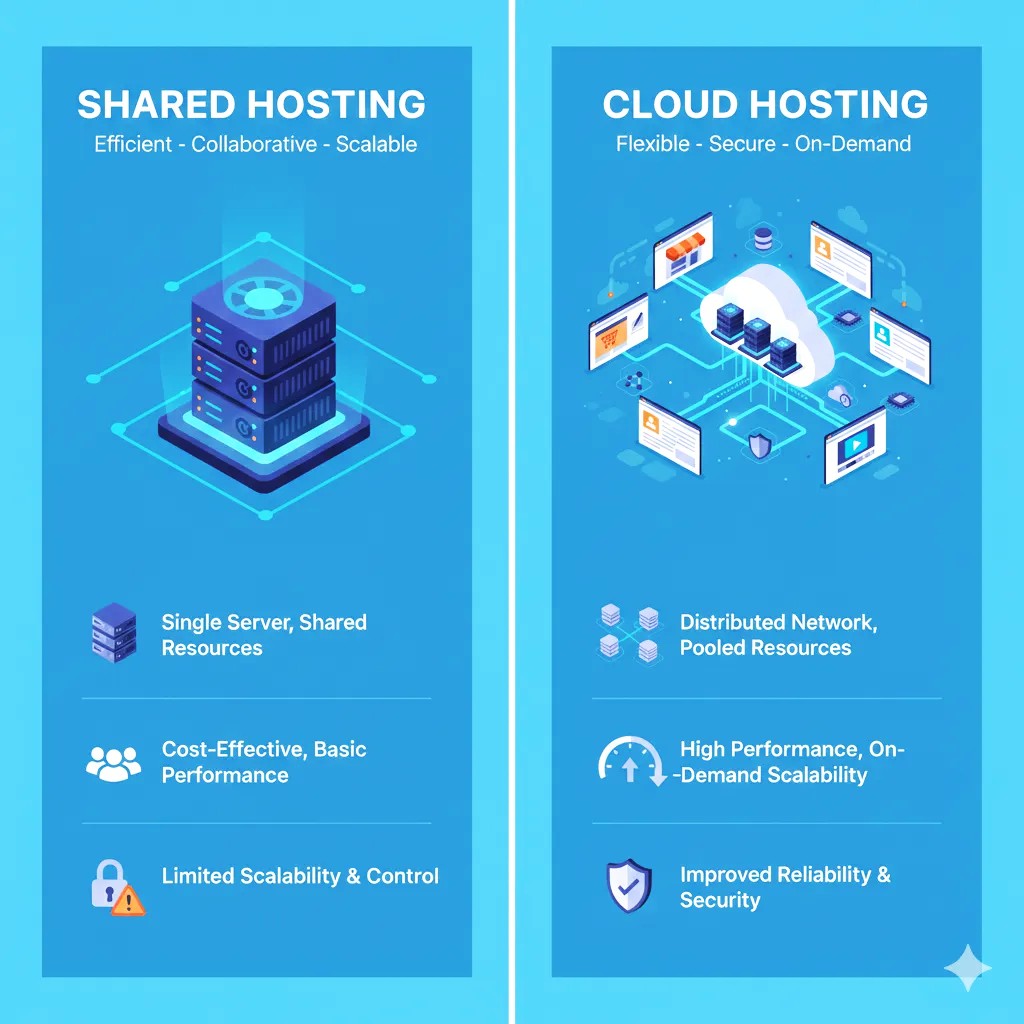
Choosing between cloud hosting and shared hosting can be confusing for first-time website owners. Here’s a clear comparison of the key differences to help you decide which hosting type is best for your first website.
1. Performance & Speed
- Shared Hosting: Performance can fluctuate since your website shares resources with other sites. Heavy traffic on one site can slow down all others on the server.
- Cloud Hosting: Offers faster and more consistent performance because resources are distributed across multiple servers, reducing the risk of slowdowns.
2. Cost Comparison
- Shared Hosting: Typically low-cost, making it ideal for beginners or small websites with limited budgets.
- Cloud Hosting: Higher upfront cost, but pay-as-you-go options allow you to scale resources as needed.
3. Security
- Shared Hosting: Vulnerable to security risks from other sites on the same server. Limited control over security settings.
- Cloud Hosting: More secure due to isolated server environments and frequent backups. Better suited for websites handling sensitive data.
4. Scalability & Flexibility
- Shared Hosting: Limited scalability. Upgrading resources often requires moving to a higher-tier shared plan or a different hosting type.
- Cloud Hosting: Highly scalable. You can increase CPU, RAM, and storage instantly to handle traffic spikes or business growth.
5. Ease of Use & Beginner-Friendliness
- Shared Hosting: Very beginner-friendly. Easy control panels, one-click app installations, and minimal technical knowledge required.
- Cloud Hosting: Slightly more complex. Some knowledge of server management may be helpful, though many providers offer simplified dashboards for beginners.
Summary Table
| Feature | Shared Hosting | Cloud Hosting |
|---|---|---|
| Performance | Moderate, can vary | High, consistent |
| Cost | Low | Moderate to high |
| Security | Basic | Enhanced |
| Scalability | Limited | Easy and flexible |
| Ease of Use | Beginner-friendly | Requires some technical understanding |
Cloud hosting is ideal if you want better performance, security, and scalability, while shared hosting is perfect for budget-friendly, simple websites just starting out.
Which Hosting Is Best for Your First Website?

Choosing the right hosting for your first website depends on your budget, website goals, expected traffic, and technical comfort. Here’s a practical guide to help you decide:
1. Shared Hosting: Best for Beginners on a Budget
If you are creating a personal blog, portfolio, or small business site with moderate traffic, shared hosting is often the best choice.
Why choose shared hosting:
- Extremely affordable, often starting at just a few dollars per month.
- Beginner-friendly with easy-to-use dashboards and one-click installations.
- Maintenance and server management are handled by the provider.
Ideal for:
- Hobby blogs
- Personal portfolios
- Small informational business websites
2. Cloud Hosting: Best for Growing Websites
If you expect higher traffic, e-commerce sales, or a rapidly growing website, cloud hosting is more suitable.
Why choose cloud hosting:
- High uptime ensures your site is always online.
- Resources like CPU, RAM, and storage can scale instantly as traffic grows.
- Enhanced security and backups protect sensitive customer data.
Ideal for:
- Online stores
- Membership sites or forums
- Websites expecting rapid growth or traffic spikes
3. Consider Your Long-Term Plans
Even if you start with shared hosting, it’s smart to pick a provider that allows easy upgrades. This way, your website can grow into cloud hosting or VPS hosting without downtime or complex migrations.
Quick Decision Guide
| Scenario | Recommended Hosting |
|---|---|
| Low budget & low traffic | Shared Hosting |
| Moderate to high traffic & security focus | Cloud Hosting |
| Planning to grow quickly | Start with scalable shared plan or cloud hosting |
Bottom Line:
- For first-time users and small budgets, shared hosting is usually sufficient.
- For websites that need reliability, speed, and scalability, cloud hosting is the better investment.
EXTRA- YOU CAN READ MORE ABOUT Cheapest Domain & Hosting Bundles for Small Businesses BY VISIT THIS ARTICLE
Conclusion & Call-to-Action
Choosing the right hosting for your first website is a crucial step that affects performance, security, and growth potential. Shared hosting is perfect for beginners or small-budget sites, offering simplicity and affordability. Cloud hosting, on the other hand, provides better performance, scalability, and reliability, making it ideal for growing websites or online stores.
The key is to align your hosting choice with your website goals, expected traffic, and technical comfort. Even if you start small with shared hosting, select a provider that allows easy upgrades so your site can grow without hassle.
Call-to-Action:
Don’t wait to launch your first website! Compare the best shared hosting and cloud hosting plans today, choose the option that fits your needs, and get online with confidence. 🚀
Suggested CTA Buttons for Your Blog:
- “Compare Hosting Plans Now”
- “Start Your Website Today”
- “Choose the Best Hosting for Your First Site”